Last updated: November 2026
Few things are more stressful for a student than seeing an AI score on a paper they wrote themselves. The number looks precise, but it is easy to misread. This guide explains what the Turnitin AI score actually measures, how reliable it is, and what to do if you believe it is wrong.
Note: Turnitin is normally available only through your school or university, so you cannot usually check your own paper before submitting. Policies also differ between institutions, so always follow your own course rules on AI use.
AI Score vs. Similarity Score: They Are Not the Same
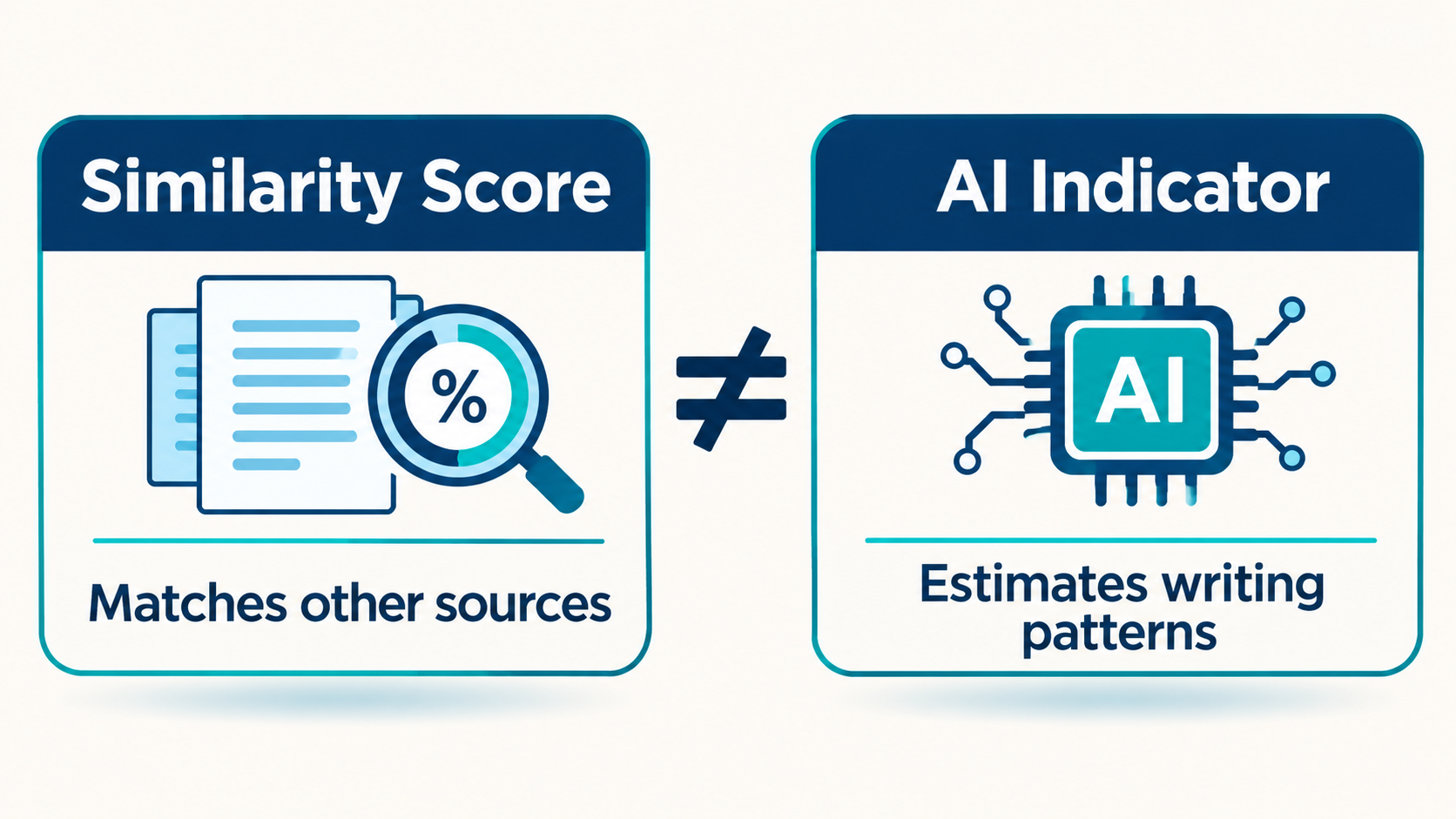
Turnitin reports two different things:
- Similarity score: how much of your text matches other sources in its database (the classic plagiarism check).
- AI writing indicator: an estimate of how much of your text has patterns its model associates with AI-generated writing.
A paper can have a low similarity score and still show an AI percentage, and the reverse is also possible. One does not explain the other.
How to Read the AI Score
| What you see | What it generally means |
|---|---|
| An asterisk instead of a number | Some indicators were detected, but the estimate is below 20%. Turnitin says scores in this range are less reliable because testing showed more false positives. |
| 20% or higher | The model estimates that a meaningful share of the text looks machine-generated. This is a reason to look closer, not a verdict. |
| Highlighted sentences | Sentences the model flagged. Individual sentences can be wrongly highlighted even when the document is fine. |
How Accurate Is It?
In its own published explanations, Turnitin has said that for documents with more than 20% AI writing, the document-level false positive rate is below 1%, while the sentence-level false positive rate is around 4%. It has also said these figures may change, and that its detector works on a minimum amount of text (raised to 300 words in 2023).
Those numbers come from the company itself, and they describe different things. A 4% sentence-level rate means that some highlighted sentences can be human-written. Even a low document-level rate means some real students are flagged unfairly.
Who is most at risk? Research on AI detectors in general (not Turnitin specifically) has found much higher false positive rates for essays written by non-native English speakers. A well-known 2023 study tested several GPT detectors on TOEFL essays and found they often flagged human writing. Because detectors look for patterns such as predictable wording, simple and careful writing can look “machine-like” to them.
Some universities have chosen not to use the feature. Several have publicly disabled Turnitin’s AI detection because of concerns about trust and false positives. Check whether your institution has a policy.
What to Do If You Are Flagged Unfairly
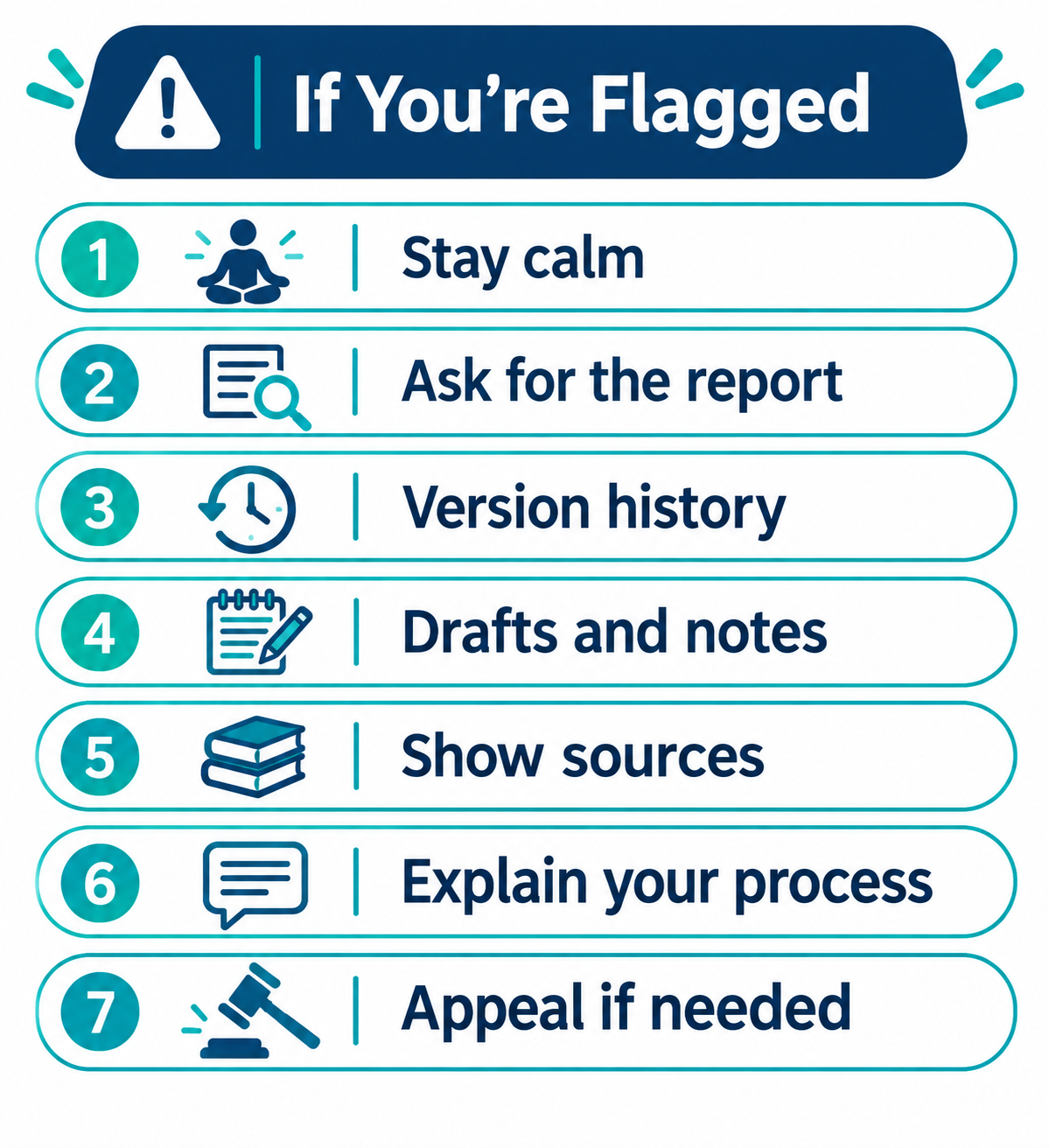
- Stay calm and do not edit the submission. Rewriting in a panic can look worse. Keep the original file exactly as it was.
- Ask to see the report and the policy. Find out what your instructor sees, what threshold they use, and what your institution’s process is.
- Gather your version history. Google Docs (“Version history”) and Microsoft Word (OneDrive version history) can show how the document grew over time.
- Collect your drafts and notes. Outlines, handwritten notes, earlier versions, and messages about the assignment all help.
- Show your sources. Your reading list, saved PDFs, highlighted articles, and library records show the work behind the paper.
- Explain your process in your own words. Be ready to discuss your argument and your choices. An instructor can judge your understanding in a short conversation.
- Use the formal appeal process if needed. Turnitin’s own guidance says the result should not be the sole basis for an adverse decision, so you can politely ask what other evidence is being considered.
How to Protect Yourself Before You Submit
- Write in a tool with version history and keep it on.
- Save drafts at the outline, first draft, and revision stages.
- Keep your research trail: notes, PDFs, and your reference list. A reference manager helps; see our guide on using AI to format academic citations.
- Follow your course’s AI rules and disclose any permitted AI help (for example, grammar or brainstorming) if required.
- Verify your sources yourself. See our list of free AI tools for research papers and how to check a paper’s reasoning.
What Not to Do
Do not use “humanizer” or rewriting tools to try to avoid detection. If your school bans AI use for the assignment, that can be treated as misconduct, and Turnitin says it has added detection for text altered by bypass tools. The honest, safe approach is to write your own work, document your process, and follow your institution’s rules.
Frequently Asked Questions
Can Turnitin detect ChatGPT?
Turnitin says its model is trained to detect text from major AI writing tools, but it is not perfect. Detection can lag behind new models, and false positives and false negatives both happen.
Does 0% similarity mean there is no AI?
No. The similarity score and the AI indicator measure different things.
Is a score over 20% proof I used AI?
No. It is an estimate and a reason to look closer. Turnitin itself says it should not be the only basis for a decision.
Can I check my paper with Turnitin before submitting?
Usually not. It is normally available through your institution. Other free AI detectors use different models and may give very different results.
Why was my own writing flagged?
Detectors look for statistical patterns. Careful, simple, or formulaic writing, which is common among non-native English writers, can sometimes trigger a false flag.
Final Thoughts
An AI score is a signal, not a sentence. Understand what it measures, keep a record of how you wrote your work, and follow your school’s rules. If you are flagged, calm, documented evidence is your strongest response.

