Last updated: October 2026
A literature review usually starts the same way: dozens of open tabs, a half-filled spreadsheet, and the nagging feeling that you have missed an important paper. Elicit is built to shorten exactly that stage. It searches academic papers for you, shows what each one found, and lets you pull the same details out of every paper into one table.
It will not write your review for you, and you should not want it to. But used carefully, it can save hours in the search-and-sort phase. This guide walks through the full workflow, what the free plan gives you, and the mistakes that lead to unreliable results.

What Is Elicit?
Elicit is a web-based research assistant. You type a research question in plain language, and instead of a list of links you get a table of relevant papers with short AI-generated summaries. Elicit says it searches well over 100 million academic papers from the Semantic Scholar corpus, and it is designed so that extracted details are backed by supporting quotes from the papers themselves.
On the home page you will find several starting points:
- Find Papers: search by research question and get a table of relevant studies.
- Research Report: generate a structured report that answers your question.
- Paper Chat: upload PDFs or pick papers from your library and ask questions about them.
- Extract Data: pull specific details from your own uploaded PDFs.
- Systematic Review: a guided flow with search, screening, extraction, and a final report.
For most students writing a standard literature review, Find Papers is where you will spend most of your time.
Free vs. Paid: What Can You Actually Do?
Here is how Elicit’s plans looked on its official pricing page when we checked in October 2026. Plans and prices have changed several times this year, so confirm the details on the official pricing page before you pay.
| Plan | Price | Best for | Highlights |
|---|---|---|---|
| Basic | Free | Casual exploration | Unlimited search across 138M+ papers, unlimited summaries, unlimited chat with papers, view sources, import from Zotero. Limited use of Research Agent and Research Reports. |
| Pro | $49 per user/month, billed $588 annually | Systematic reviews | Dedicated systematic review workflow (screens up to 5,000 papers), 20 columns at a time, custom extractions from uploaded papers, explanations for AI answers, API access. |
| Scale | $229 per user/month, billed $2,748 annually | Collaboration | 5x usage, extraction from figures, live team editing, 30 columns at a time, admin panel. |
| Enterprise | Custom | Companies and schools | Larger scale (40,000 papers, 40 columns), enterprise security, dedicated support. |
Which plan do you need? For a typical course literature review, Basic is enough to search, read summaries, and chat with papers. Pro is built for people doing formal systematic reviews or extracting data from their own PDF collections, and the annual price reflects that. Before paying, it is worth asking your university library whether your institution already provides access.
How to Use Elicit for a Literature Review: Step by Step
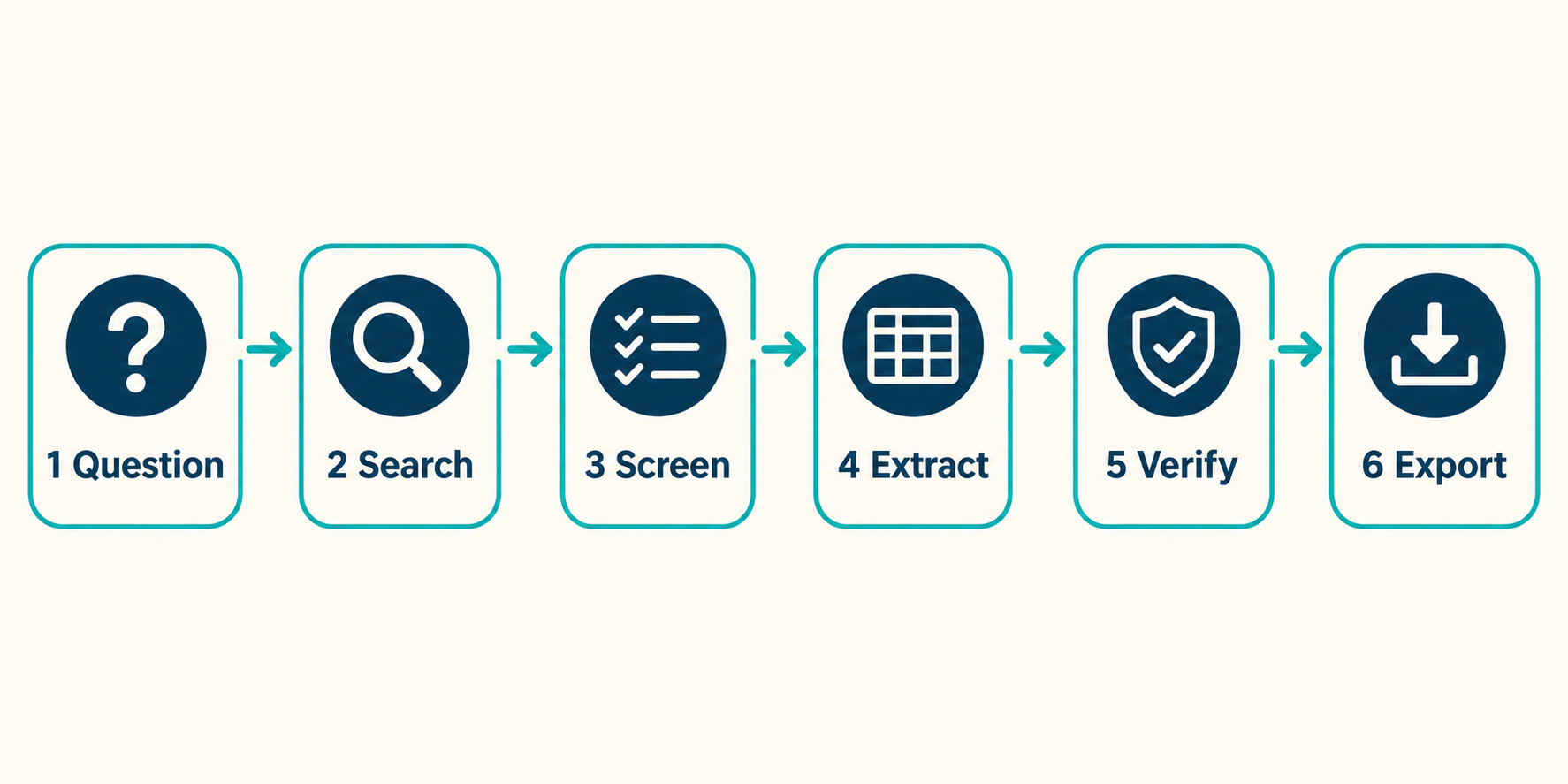
Step 1: Write a Narrow Research Question
Elicit works best with a specific question, not a broad topic. Compare these two:
- Too broad: “sleep and students”
- Better: “How does sleep deprivation affect academic performance in university students?”
A good question names the population (university students), the factor you are studying (sleep deprivation), and the outcome (academic performance). If your first results look scattered, the question is usually the problem, not the tool.
Step 2: Run Find Papers
Choose Find Papers, paste your question, and run the search. Elicit returns a table of papers with titles, years, and short summaries of what each study found. Keep clicking Load more until the new results stop being relevant, and use the available filters (such as publication year or study type) to narrow things down.
Run more than one search. Rephrase your question, try synonyms, and search for related angles. Different wording surfaces different papers.
Step 3: Screen the Results
Scan the titles and summaries and star the papers that fit your question. Be strict at this stage. A smaller set of clearly relevant papers is easier to analyze than a large pile of loosely related ones.
While screening, look at the basics for each paper: publication year, journal, and citation count where it is shown. A summary is only a starting point. If a paper looks important, open it and read the abstract yourself.
Step 4: Add Extraction Columns
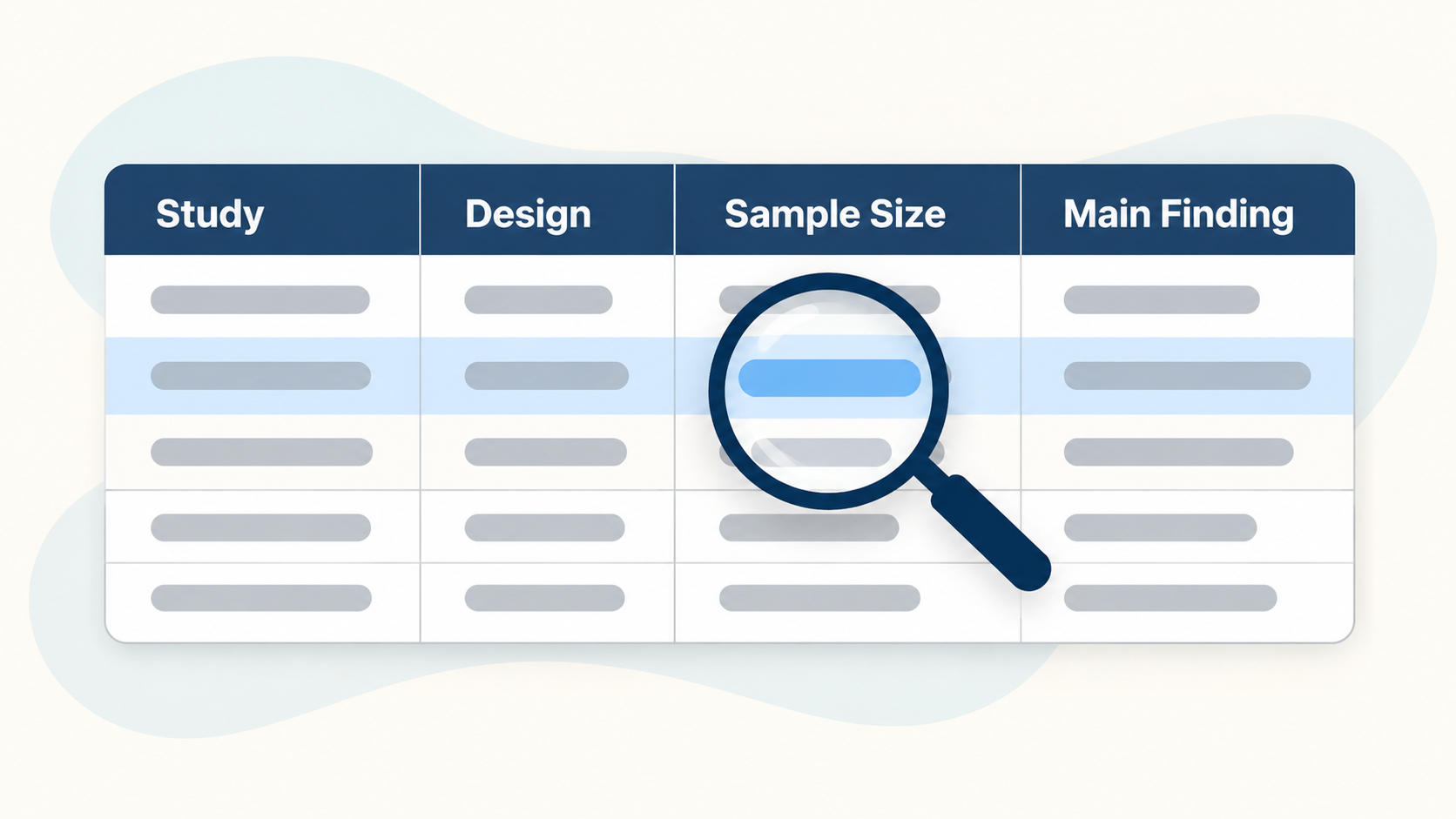
This is the feature that makes Elicit different from a normal search engine. You can add columns to the table, and Elicit will try to fill each column for every paper. Think of it as asking the same question to all your papers at once.
Useful columns for a literature review:
Example column questions
- What is the study design (survey, experiment, longitudinal, review)?
- What is the sample size and who were the participants?
- How did the authors measure academic performance?
- What is the main finding?
- What limitations do the authors mention?
These columns turn a pile of papers into a comparison table you can scan in minutes. It becomes much easier to spot patterns, such as which studies used small samples or which measured performance differently. Note that the number of columns you can add depends on your plan.
Step 5: Verify Everything Important
Do not skip this step. Elicit uses language models, and language models can get details wrong. Elicit itself says its answers can sometimes be inaccurate. For every claim that will end up in your review:
- Check the supporting quote Elicit shows for that cell.
- Open the original paper and confirm the number or finding in context.
- Cite the original paper in your review, not Elicit.
One more detail matters here. Elicit uses a paper’s full text when it is available and the abstract when it is not. Columns filled from an abstract alone are shallower and more likely to miss details like limitations. If a paper is central to your argument, read it yourself.
Step 6: Try Research Reports (Optional)
If you want a quick overview of a topic, the Research Report option generates a structured report from relevant papers. It is useful for orienting yourself in an unfamiliar field. Treat it as a map of where to read next, not as text for your assignment.
If you are doing a formal systematic review, Elicit offers a guided Systematic Review workflow (paid plans). Elicit’s own team notes that for publication-grade or regulatory-grade reviews you will often still need traditional, keyword-based database searches alongside it.
Step 7: Export and Organize
When your table is ready, export it so you can keep working outside Elicit. Export options depend on your plan, and paid plans list exports in formats such as CSV, BibTeX, and RIS. Import the references into your citation manager, and keep the CSV as your working comparison table. If you need help with formatting your references afterward, see our guide on using AI to format academic citations.
Common Mistakes to Avoid
- Starting with a vague question. Narrow it before you search.
- Trusting summaries without checking. Always confirm key details in the paper.
- Treating one search as complete. Run several differently worded searches.
- Citing Elicit instead of the paper. Your reader needs the original source.
- Ignoring abstract-only results. Extractions based on abstracts are thinner than full-text ones.
Limitations of Elicit

- It can be wrong. Summaries and extracted values need checking.
- Paywalled full texts. Without full-text access, Elicit may only see abstracts unless you upload the PDF yourself.
- Figures and charts. Reviewers have noted that extraction from visual elements is weaker than from text.
- Academic papers only. If you need industry reports, news, or grey literature, you will need other sources.
- Plan limits. Reports, columns, and extraction features vary by plan.
Is It Okay to Use AI for a Literature Review?
That depends on your institution and your instructor. Many universities allow AI tools for searching and organizing sources but not for writing submitted text, and policies differ a lot. Check your course or university guidelines before you use any AI tool, and be transparent about how you used it. The safest approach is to use Elicit to find and organize papers, read the important ones yourself, and write the review in your own words.
Elicit vs. Other AI Research Tools
Elicit is strongest at structured extraction: comparing many papers across the same set of questions. If you mainly want quick, evidence-based answers to a yes/no style question, you might prefer Consensus. We compare both in NotebookLM vs Consensus, and explain how to use it in our Consensus AI guide. For checking a paper’s reasoning after you find it, see how to find logical flaws in research papers with AI.
Frequently Asked Questions
Is Elicit accurate?
Elicit is designed to show supporting quotes for its extractions, which helps you check them. But it relies on language models, which can make mistakes, and Elicit says so itself. Verify important details in the original paper.
Can Elicit write my literature review?
It can generate reports and summaries, but you should not submit that text as your own work. Use Elicit to find papers and compare findings, then write your review yourself and cite the original studies.
Does Elicit read the full text of papers?
When full text is available, Elicit uses it. When it is not, Elicit relies on the abstract. You can also upload PDFs yourself if your plan includes that feature.
Is Elicit better than Google Scholar?
They do different jobs. Google Scholar is a broad search engine for scholarly literature. Elicit helps you screen and compare papers by pulling specific details into a table. Many researchers use both.
Is Elicit free?
Elicit offers a free Basic plan. Some features, including Extract Data for uploaded PDFs and the guided Systematic Review workflow, are listed on paid plans. Plans and prices have changed during 2026, so check Elicit’s pricing page for the current details.
- Figures and charts. Elicit lists extraction and interpretation from figures under its Scale plan, so don’t count on it on lower plans. Check important charts yourself.
- Plan limits. Usage of Research Agent and Research Reports is limited on the free plan, and column counts and extraction features grow with higher plans.
Final Thoughts
Elicit is most useful when you treat it as a fast, organized first pass: a narrow question, a handful of searches, a clear extraction table, and then careful verification. It will not replace reading the key papers, but it can get you to the right papers much faster.
Want to see more tools for your research workflow? Read our roundup of the best free AI tools for writing research papers, or learn how to review a draft with Typeset.io.